Remote work isn’t going anywhere, and your DIY home office setup shouldn’t feel like an afterthought crammed into whatever corner was available.
Creating a productive, professional workspace at home doesn’t have to take a contractor’s budget or a room all its own-just strategic planning and smart design choices.
Want polished, research-backed blog content that keeps readers hooked? ➜ Tap here to hire professional writers and get started today.
A recent study by Robert Half shows that 24% of new job postings in Q3 2025 were hybrid, and 12% were fully remote, proving that flexible work arrangements have become permanent mainstays in the professional world.
Start with Location Strategy
Your office location matters more than you think.
First, natural light please. A space near a window reduces eye strain and keeps energy levels stable throughout the day. Stuck with artificial lighting? Invest in a quality desk lamp with adjustable brightness; your eyes will thank you after hour six of the video calls.
Noise levels are the next thing to consider. That supposedly cozy spot near the kitchen might seem convenient until you’re on a client call and someone decides to make a smoothie.
Desk Selection Makes or Breaks Your Setup
Your desk is the foundation of any DIY home office setup, so choose wisely.
You don’t want an executive mahogany monster. Sometimes just a simple writing desk, a wall-mounted fold-down table, or even a sturdy kitchen table can work beautifully if it’s the right height and size for your needs.
Where you want to be with desk height is 28–30 inches, which allows your elbows to be at a 90-degree angle while you’re typing. Any higher or lower and you are asking for shoulder and wrist pain.
Width counts too: shoot for a minimum 48 inches if you’re using a monitor, keyboard, and need space for notes or a second screen.
The Chair Situation Is Not Up for Debate
Skip the dining chair torture chamber.
An ergonomic office chair is the one splurge that pays dividends in comfort and productivity. Seek adjustable seat height, lumbar support, and armrests you can modify.
If you’re working full-time from home, you’ll be spending about 2,000 hours a year in this chair, which is more time than you’ll be spending in your car or on your couch-so treat it like the investment it is. Consumer Reports testing found that adjustability is the hallmark of true ergonomic design, one size definitely doesn’t fit all when it comes to proper back support.
Tech Setup That Actually Works
Start with your monitor placement—eye level, arm’s length away.
If you’re working off a laptop, get a stand to hold it up and add an external keyboard and mouse. Hunching over a laptop screen eight hours a day is a surefire way to get neck problems you don’t want.
Cable management isn’t optional. Velcro straps, cable clips, or a simple cable box keeps cords from turning your workspace into a tangled mess. It’s a small detail that makes your DIY home office setup look intentionally designed instead of chaotic.
Desk space is limited, so having a monitor arm helps open up more surface and allows you to smoothly adjust your screen position at any time.
Lighting Design for Video Calls and Focus
This is because overhead lighting creates unflattering shadows in video calls, apart from causing screen glare.
Layer your lighting instead. Mix ambient room lighting with task lighting at your desk. If you’re on camera regularly, bring in a ring light or LED panel, placing it at eye level in front of you to eliminate that horror-movie shading under your eyes.
Avoid placing your desk with a window directly behind you. You’ll become a silhouette on video, and colleagues will have to squint through your darkened outline while discussing quarterly reports.
Space-Wasting Storage Solutions
Your best friend in a compact home office is vertical storage.
Wall-mounted shelves, pegboards, and floating cabinets will keep supplies accessible without taking up valuable floor space. Utilize drawer organizers for small items: pens, chargers, sticky notes-so you are not rummaging through junk drawers during meetings.
A small filing cabinet or stackable document trays handle the paperwork without making desk clutter. Out of sight isn’t out of mind, but it does mean out of your way when you need to focus.
Personalization Without Distraction
Your workspace should reflect your personality, not some sterile corporate cubicle.
Add a plant or two—they purify the air and bring some life into your space. If you kill plants often, select low-maintenance ones such as pothos or snake plants.
Add one or two meaningful items to the space: a photo, an inspiring print, a small sculpture. Stop there. Too many personal items create visual noise that fragments your attention.
Paint an accent wall if you own your space, or use removable wallpaper to mimic the effect in a rental. Color psychology is real—blues and greens promote calm focus, while yellows enliven creative thinking.
Acoustic Improvements to Improve Concentration
The hard surfaces reflect sound and create echo and ambient noise you don’t really notice until you are trying to focus.
Add soft materials strategically. A rug under your desk, curtains on the windows, or acoustic panels on walls can help to absorb sound and reduce distractions. Even just an upholstered chair or a throw pillow on a nearby reading chair helps.

If you have noisy housemates or street traffic, consider adding in a white noise machine or noise-canceling headphones to your setup. In addition to being excellent for breathability around temperature control, mesh office chairs tend to be pretty quiet compared with leather chairs when adjusting positions throughout the day.
Internet and Connectivity Basics
Without reliable internet, your whole DIY home office crumbles.
Test your WiFi speed where you will actually be working. If it’s weak, consider a mesh WiFi system or move closer to your router. A hardwired ethernet connection is always faster and more stable than wireless if you can manage it.
Have a backup plan ready; know where the hotspot on your phone is in case of dropped home internet during a critical meeting.
Organization Systems That Stick
Digital organization is just as important as physical organization.
Set up a dedicated work folder system on your computer. Store your work in cloud storage, and use naming conventions so you are not searching through “Final_Version_3_ACTUAL_FINAL.docx” files at 10 p.m.
Time-block your calendar, including breaks. Your home office may be three steps from your bedroom, but that doesn’t mean you work straight through lunch.
DIY Budget-Friendly Home Office Setup Ideas
You don’t need thousands to create a functional workspace.
Consider the following budget-friendly measures:
- Reuse available furniture creatively instead of buying new: a console table is used as a standing desk, a bookshelf is used as a room divider.
- Shop secondhand for office furniture: office chairs and desks from companies liquidating office furniture are quality at a fraction of retail
- Make your own desk by using a countertop slab with filing cabinets or sawhorses for legs
Save your bucks by allocating the budget to items that would directly link to comfort and productivity: chair, lighting, and monitor are first. Everything else can be upgraded little by little.
Flexibility for Changing Needs
Your requirements for working will change, so design in flexibility for your setup.
Use wheeled furniture wherever you can—a rolling supply cart, for example, or a mobile file cabinet gives you choices in reconfiguring your space. Opt for modular storage that expands as needed.
Consider whether your setup accommodates both focus work and video meetings. You may wish to have a different background angle or lighting setup when performing one task versus the other. In fact, a Steelcase study found that height-adjustable workstations decreased sitting time by 17% and improved focus, thus serving as a great tool for those professionals who often switch between tasks throughout the day.
DIY Common Mistakes in Setting Up a Home Office
Not facing into a wall if you can at all avoid it-perhaps this goes without saying, but it’s claustrophobic and cuts you off from natural light.
Don’t overbuy storage solutions until you know exactly what you need to store. Work in your space for two weeks; then, invest in organization based on real usage patterns.
Skip the temptation to work from your couch or bed on a regular basis. Your brain requires location-based cues to keep work mode distinct from relaxation mode, and that keeps burnout at arm’s length. Research from Cleveland Clinic pinpoints that people who sit excessively are at an increased risk for obesity, diabetes, and heart disease, even when actively working, making intentional workspace design key to long-term health.
Integration of Health and Ergonomics
Design your space to support movement as well as sitting.
Place things you use most often–printer, filing cabinet, water bottle station–around the room so you must get up often. If you want variety without the need to purchase an entirely new desk, consider a standing desk converter.
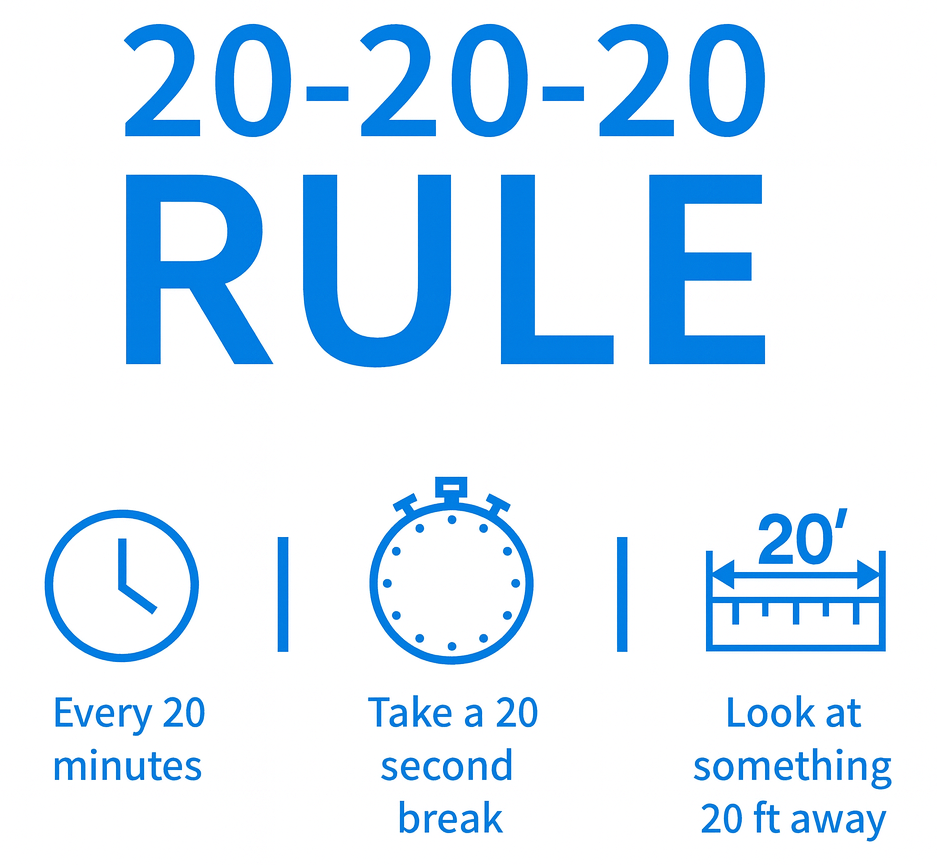
The 20-20-20 rule: every 20 minutes look for 20 seconds at something 20 feet away. Position your desk so that you have a distant focal point available. This simple practice, encouraged by the American Optometric Association, will help avoid computer eye strain that can affect up to 97% of people who work on computers.
Tech Trends to Rule Modern Home Offices
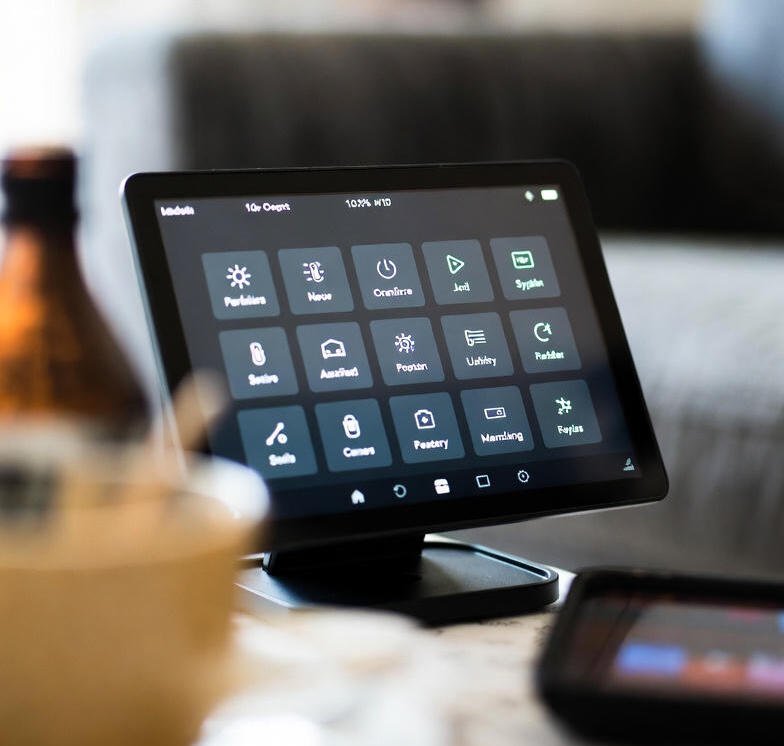
Smart home technology is increasingly integrated into workspace design.
Voice assistants run calendars and reminders hands-free. Smart plugs schedule your desk lamp to turn off at 6 p.m., creating a physical end-of-workday boundary. Adjustable RGB lighting automatically changes with tasks: cool white for focused morning work, warm amber for afternoon creativity.
These tech trends don’t just add convenience-they help establish routines that separate professional time from personal life when both happen under the same roof. Research from BLS economists studying remote work found that there is a positive relationship between total factor productivity and remote work arrangements, which suggests that well-designed home office setups can actually boost performance.
Green Technology and Sustainable Office Choices
It is also extended to the work environment one sets up.
Energy-efficient LED light bulbs use a massive 75% less energy than incandescent options and will last much longer. For the office furniture, choose items made from sustainable materials: bamboo desks, recycled plastic organizers, or vintage pieces to give new life to existing resources.
Green technology and lifestyle options in your office reduce your carbon footprint while often offering side benefits of saving money over the long term through lower energy costs and durable products that won’t need frequent replacement.
Return on Investment Factor in Home Improvement
The well-designed home office does increase tangible value in the house.
For those looking at angles such as home improvement and real estate, a dedicated office space appeals to the growing remote workforce market. In fact, if you are renting, then a well-organized workspace makes your home more functional and enjoyable to live in, equating to quality of life.
The return on investment goes beyond potential resale value; it shows up in your daily productivity, reduced stress, and professional presentation during video meetings. As remote work normalizes, homes with dedicated office spaces are increasingly sought after, which now prefer 36% of employees for completely remote arrangements in their next role.
Money Tips for Gradual Office Upgrades
Building your dream DIY home office setup doesn’t have to break the bank.
Start with the essentials—chair, desk, adequate lighting—then upgrade quarterly as budget allows. Track your office expenses separately; many home office costs are tax-deductible if you’re self-employed or meet the qualifying guidelines for employee home office deductions.
These money tips for strategic spending ensure that you invest in items that genuinely improve your work experience, not collect decorative dust.
Set up your office as if it were a continuing project, rather than a one-time purchase. This will lower the financial burden while allowing you to make adjustments in that space over time based on reality and not assumption.
Business Trends Driving Remote Work Permanence
Remote and hybrid work models are no longer a temporary solution to COVID-19.
Companies in all sectors acknowledge that productivity does not need physical office presence for many roles. For example, the Bureau of Labor Statistics reports that 22.9% of workers teleworked in Q1 2024, up from 35.5 million people compared to pre-pandemic levels. This shift in work culture means that your DIY home office setup isn’t a short-term workaround, it’s infrastructure for your career’s next decade.
Understanding these business trends helps in justifying investments made in a home office and will ensure that one’s setup is constantly evolving with changing professional expectations rather than becoming obsolete.
Maintaining Work-Life Boundaries
It is difficult when both share the same building to draw physical separation between work and home life.
Create rituals that mark workday transitions—change clothes, even if just trading house pants for slightly nicer house pants. Shut your office door or drape your monitor at the end of your workday. These minor actions notify your brain that work is done.
Your mental health and fitness depend on clear boundaries, and your physical workspace design should reinforce them. Interestingly enough, studies related to remote worker burnout indicate that 69% of remote employees experience symptoms of burnout, and the reason for this is because the absence of physical separation between the workplace and personal space can’t make one actually disconnect.
Pop Culture’s Influence on Office Aesthetics
Instagram and Pinterest set unrealistic standards for home offices.
Those perfectly styled spaces you see in pop culture feeds are often not functional workspaces-they are staged for photography. Your office needs to work for you first, then photograph beautifully second.
But take inspiration from aesthetic trends; functionality should not be sacrificed. A beautiful workspace that gives you back pain or offers minimal storage does not serve anyone.
Building Your Command Center for Remote Success
Your office setup at home means more than just the arrangement of furniture; it is the physical infrastructure that substantiates your career, creativity, and productivity on a day-to-day basis.
The space you create determines whether you attack each workday with energy or dread. It influences how colleagues perceive your professionalism, how effectively you focus, and how sustainably you can maintain remote work long-term.
Start where you are, use what you have, improve step by step. The perfect office doesn’t exist, but the right office for your particular needs absolutely does.
Ready to Share Your Success Story in Remote Work?
Your journey of setting up a DIY home office is well deserved, and your professional expertise deserves a platform where your ideal audience can be reached.
Press N’ Release Agency positions remote professionals and entrepreneurs as thought leaders in their respective industries through strategic content distribution. Whether you’ve mastered the art of productive remote work, developed innovative home office solutions, or built a booming business from your dining table, we amplify your story to the top publications and platforms that matter.
Check out Press N’ Release Agency for content packages tailored to your interests. As a professional who has reinvented how and where work gets done, Press N’ Release Agency can help give you the visibility your expertise deserves so that you can go back to doing what you do best-getting the word out.